
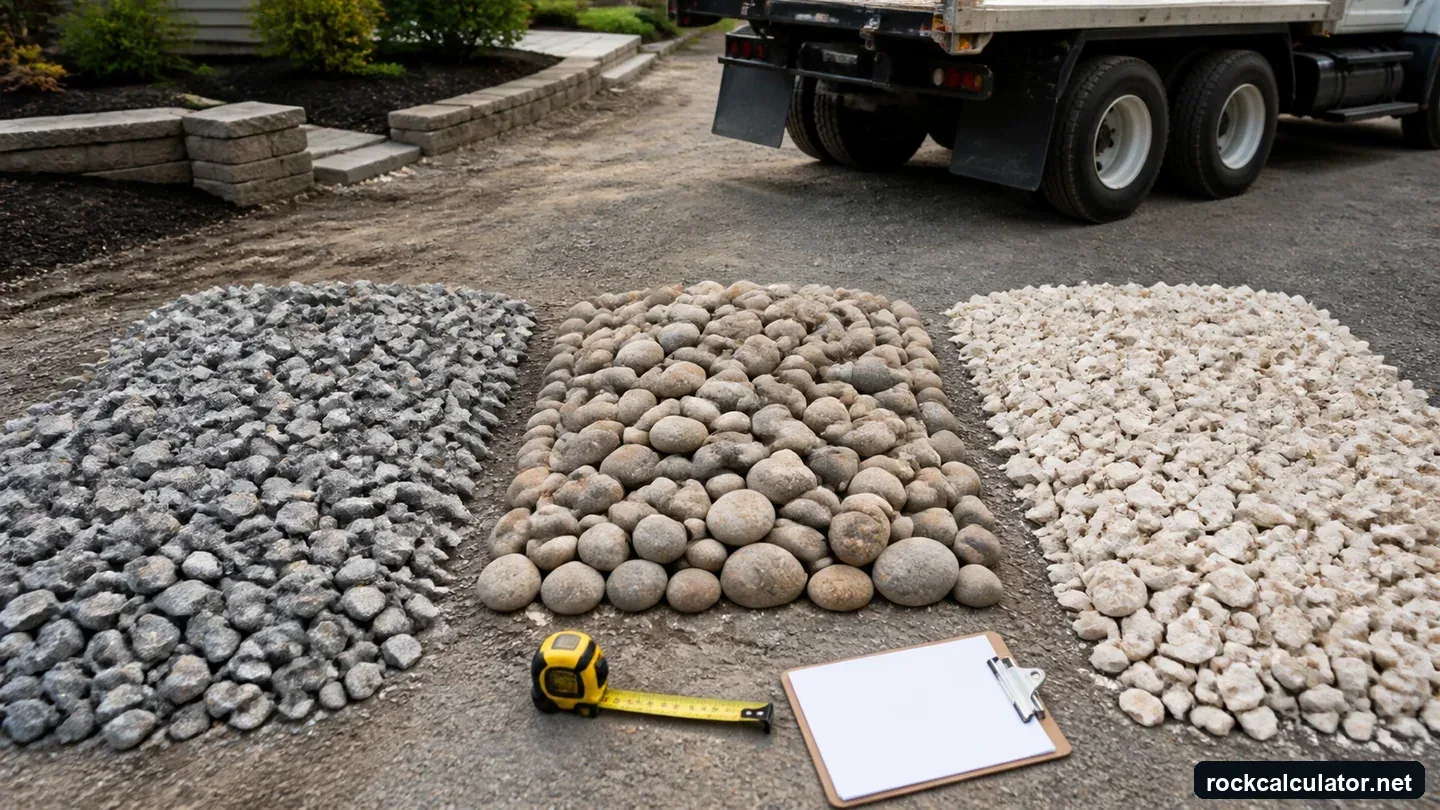
What the Material Comparison Calculator Does
Most material calculators answer one question: how much of a selected material fits a measured space. That is necessary, but it is not enough when two suppliers quote different products, densities, truck capacities, and delivery charges. This calculator keeps the project dimensions constant and compares the purchasing consequence of each material side by side.
The volume is the same for every option because the measured project does not change. Weight changes because bulk density changes. Truckloads can change when the order crosses the capacity of a delivery vehicle. Delivered total changes again when price per ton and per-load fees are applied. Seeing those stages separately makes it easier to understand why the cheapest advertised unit price is not always the least expensive delivered choice.
This is a planning and quote-comparison tool for landscape beds, driveways, paths, drainage areas, patio bases, utility stone, and similar rectangular installations. It does not decide which material is structurally or aesthetically suitable. Check product gradation, compaction behavior, drainage performance, installation requirements, and local specifications before selecting a product.
Formulas Used
Installed cubic yards = length (ft) x width (ft) x installed depth (ft) / 27. Adjusted project cubic yards = installed cubic yards x (1 + field allowance %). Estimated short tons = adjusted project cubic yards x same-state density (short tons/yd³). Truckloads = round up(estimated short tons / truck capacity). Delivered total = estimated short tons x price per ton + truckloads x delivery fee.
Reference basis: fixed unit conversions follow the NIST SI conversion tables. Bulk density is product- and condition-specific; the FHWA Field Materials Manual documents aggregate sampling and moisture-density testing; supplier or project data for the actual product and condition should replace the planning preset when available. The USGS aggregates program is used for aggregate terminology and scope. Read the full methodology and limitations.
Rounding truckloads upward is intentional. A calculated requirement of 18.1 tons cannot be carried as one load when the stated capacity is 18 tons. Actual legal payload depends on the truck, road limits, moisture, axle configuration, and supplier policy, so use the capacity printed on the quote rather than assuming every dump truck carries the same amount.
How to Compare Supplier Quotes Fairly
- Use one finished project size. Measure the installed length and width, then choose a realistic compacted or installed depth. Do not compare one quote at two inches with another at four inches.
- Match the density to the quoted product. The presets are planning values. Gradation, fines, moisture, and quarry source can change tons per cubic yard. Enter the supplier's number when available.
- Use the same waste policy. A simple rectangle over a prepared base may need less contingency than an irregular edge, sloped site, deep rut repair, or hand-placed decorative stone.
- Enter the usable payload. Ask whether the stated truck capacity is a maximum, a typical load, or the quantity actually scheduled for your address.
- Separate product and delivery charges. Enter price per ton and delivery per load in their own fields. Add sales tax, minimum-order fees, spreading, equipment, labor, geotextile, excavation, disposal, and permits outside this comparison unless a quote explicitly includes them.
Worked Example: A 40-Foot by 12-Foot Area
The default example is a 40 ft by 12 ft rectangular area installed four inches deep with a stated 10% field allowance. Its installed volume is about 5.93 cubic yards and its adjusted project volume is about 6.52 cubic yards. If the entered densities describe that same volume state, 1.60 short tons per cubic yard produces about 10.43 short tons and 1.55 produces about 10.10 short tons.
With an 18-ton truck capacity, each option fits within one calculated load. Using the illustrative defaults, crushed stone at $45 per ton plus a $125 delivery is less expensive than river rock at $65 per ton with the same delivery fee. That comparison changes immediately if the river rock supplier charges a lower delivery fee, the stone density changes, or the order crosses into a second load. This sensitivity is exactly why quote components should be entered separately.
Important price note
The default prices are examples used to demonstrate the calculator. They are not national averages, forecasts, or claims about current local pricing. Replace them with written quotes for the exact product, delivery address, order date, and truck arrangement.
Density, Compaction, and Installed Depth
Bulk density is an ordering conversion, not a quality score. A denser product produces more tons from the same cubic-yard volume. Rounded river rock can have excellent drainage but does not interlock like angular base stone. Crushed aggregate with fines may compact firmly, while decorative stone is often installed over fabric with limited compaction. Those differences affect the correct depth and waste allowance.
The calculator applies the entered field allowance to installed geometric volume before converting to tons. It does not automatically convert installed yards to loose delivered yards or add a compaction multiplier. If your plan calls for a four-inch compacted layer, enter a density for that installed state; if the supplier gives loose delivered density, obtain a documented loose-to-installed yield factor and make that conversion before using this comparison. For a course-by-course tool with explicit yield inputs, use the Gravel Driveway Calculator or Road Base Calculator.
Choosing More Than the Lowest Delivered Total
A driveway base normally needs an angular, compactable product selected for the subgrade and expected traffic. A French drain usually needs a clean, free-draining aggregate compatible with the pipe and fabric design. A decorative bed may prioritize color, shape, heat retention, weed-control strategy, and how easily the stone can be maintained. Erosion-control work may require sized riprap and an engineered section rather than a general landscape stone.
Use the comparison result to shortlist affordable options after confirming that each candidate is appropriate. If only one product meets the project specification, the other rows are not true substitutes even if their delivered totals are lower.
Common Comparison Mistakes
- Comparing a per-ton quote with a per-yard quote without using the supplier's density.
- Entering truck capacity as the ordered quantity instead of the permitted tons per load.
- Ignoring the second delivery fee when a small quantity increase triggers another load.
- Using loose fill depth when the drawing specifies a compacted finished depth.
- Assuming two similarly named products have the same gradation, fines, moisture, or performance.
- Treating an online result as a purchase order without confirming access, minimums, taxes, and delivery conditions.
Material Comparison Calculator FAQs
How does density change a rock delivery estimate?
Density converts cubic yards into tons. A denser product weighs more for the same installed volume and may require more payload or additional truckloads.
Does the calculator include delivery fees?
Yes. It rounds the load count up to a whole number, multiplies by the delivery fee per load, and adds that to material cost.
Are the example rock prices current local prices?
No. They exist only to show how the comparison works. Replace them with current written supplier quotes before making a budget or purchasing decision.
Should I compare materials only by delivered price?
No. Suitability, gradation, drainage, compaction, appearance, installation method, maintenance, and local requirements can outweigh a lower price.